Hardware
The hardware is being designed. Everything on this page is a design target and may change. Nothing has been fabricated or certified yet, and the pictures are renders from the design model.
The datasheets for the Strip, the Tile and the access point list every specification, each marked as designed, targeted or estimated.
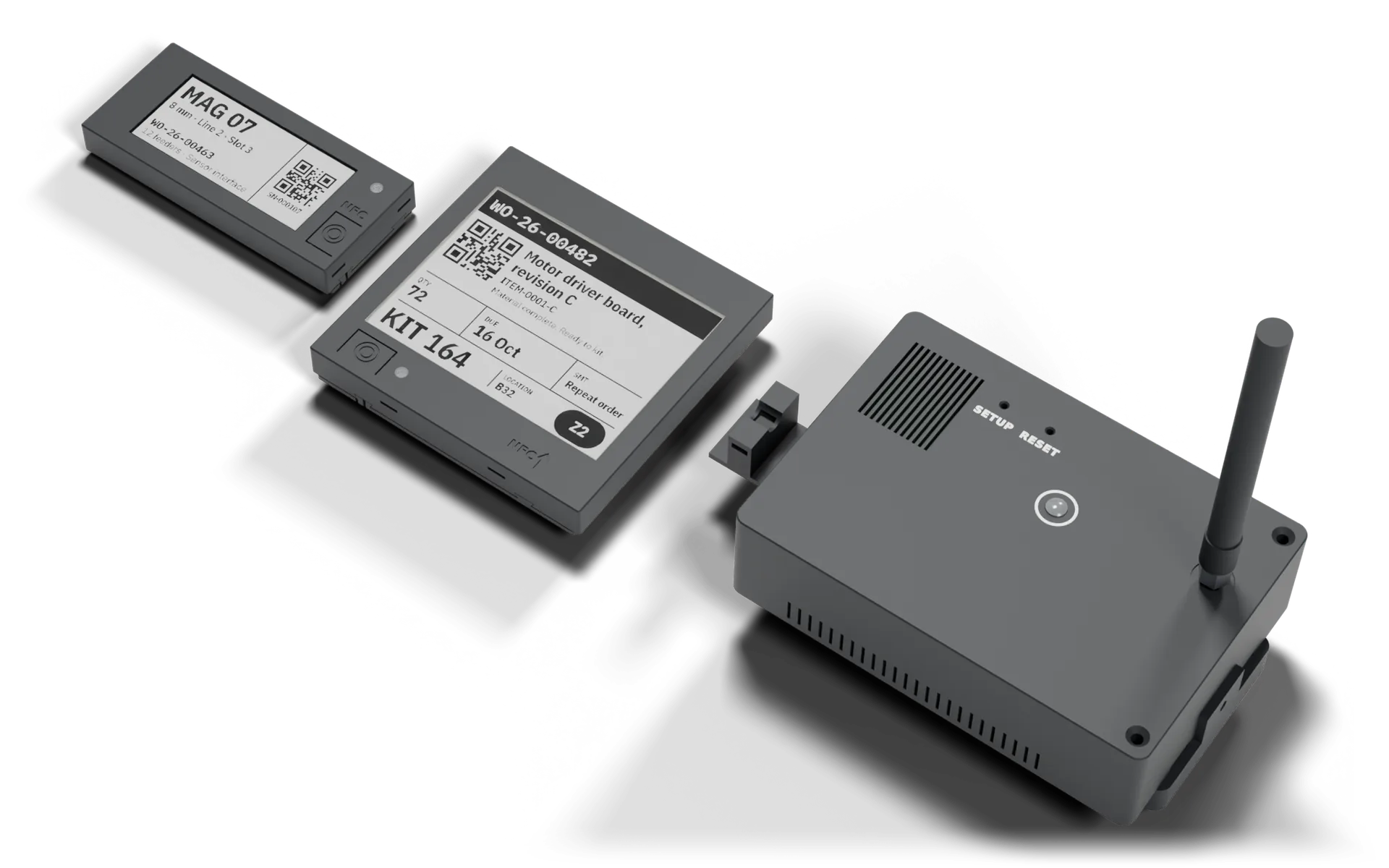
Strip, Tile and access point, rendered from the design model.
Labels
There are two label sizes, both built around industry-standard e-paper panels so they stay affordable and easy to source.
| Strip | Tile | |
|---|---|---|
| Panel | 2.9", 296 × 128 | 4.2", 400 × 300 |
| Colours | Black and white, or black, white, red and yellow | Black, white, red and yellow |
| Typical use | SMD magazines, bins, shelf edges | Kitting boxes, carts, stations |
| Housing | about 100 × 44 × 13 mm | about 100 × 98 × 13 mm |
| Weight with cells | about 45 g | about 75 g |
| Redraw | about 3 s (black and white), about 16 s (colour) | about 20 s |
| Battery | Two CR2450 coin cells in parallel | Two CR2450 coin cells in parallel |
The black-and-white Strip can also ship with one cell as a lower-cost option, for labels that rarely blink.
Both have:
- An RGB LED behind a light pipe in the bezel, next to the panel. It blinks within about two seconds of a request.
- One button under a flexible key on the front. A press confirms a pick. Presses are reported to the control center and on to your ERP.
- NFC for pairing: tap the label with a phone to register it. The NFC mark on the bezel shows where.
- A Bluetooth 5.4 radio module that is already certified, which keeps the label's own certification simple.
- A battery door on the back: a snap door that a coin or flat screwdriver releases, so cells can be changed without opening the label. Whether this latch meets the coin-cell safety rules is still open.
Strip
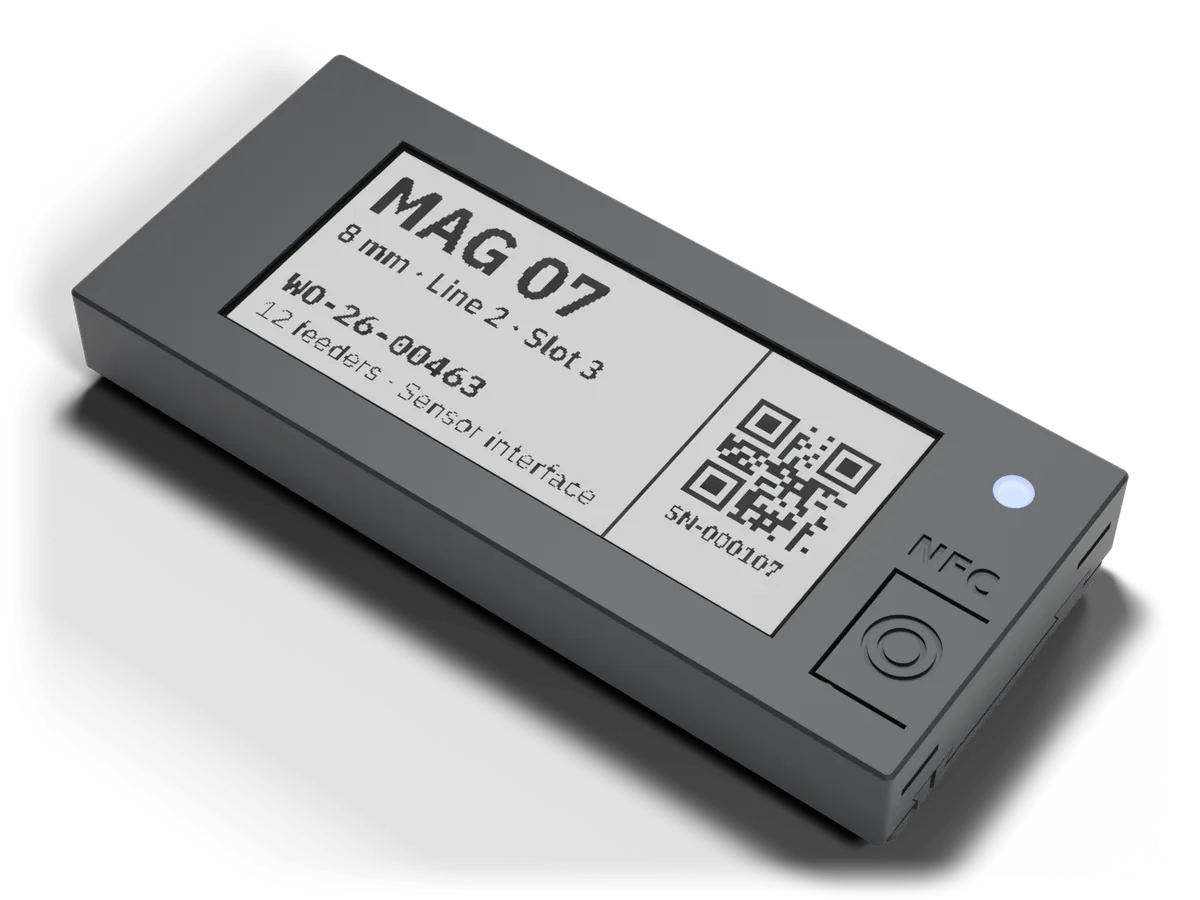
The Strip is sized for the side of an SMD magazine and fits the 170 × 50 mm free area there. Its back has a T-slot. It slides onto a thin adapter plate, which is stuck to the magazine with a VHB foam pad and latches in place. The plate also keeps the antenna end at least 5 mm off the aluminium.
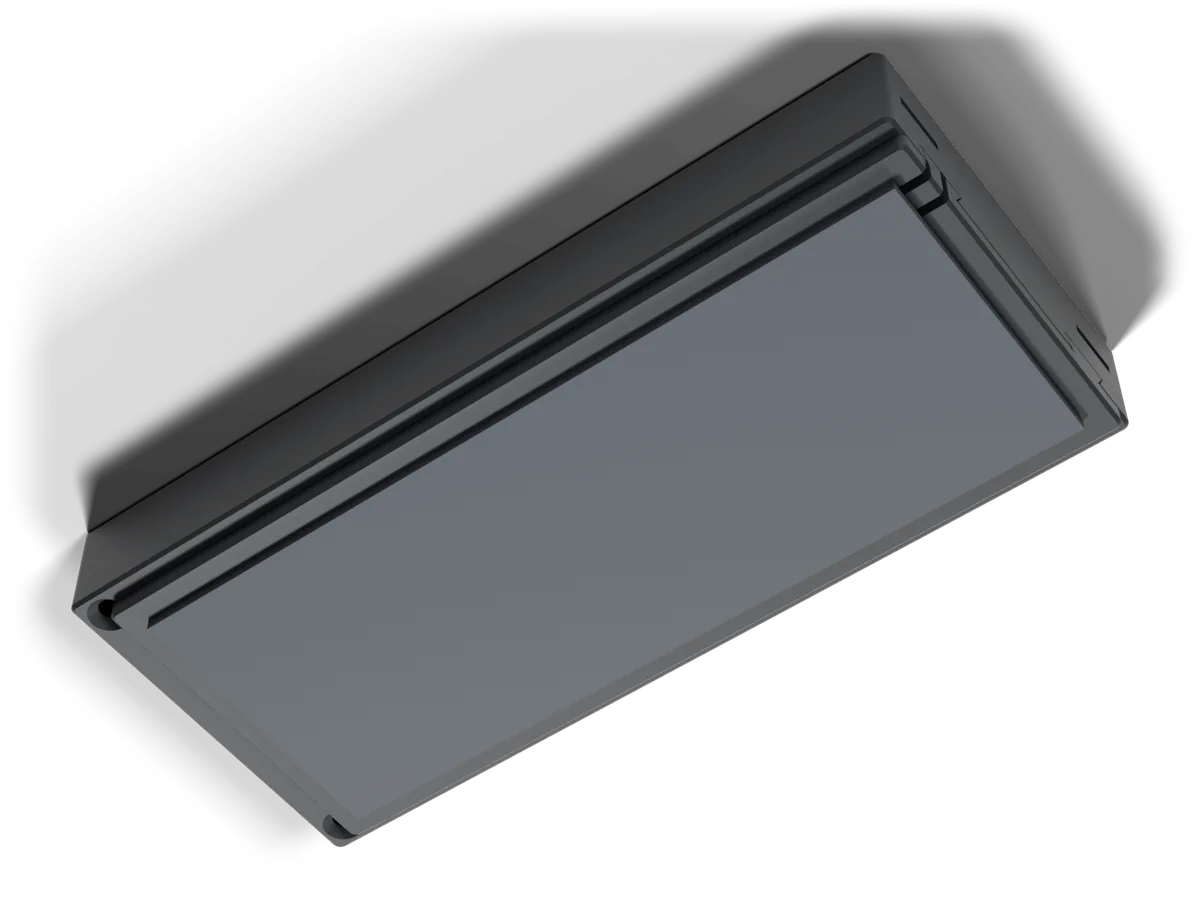
The Strip from behind, on its magazine adapter plate.
Tile
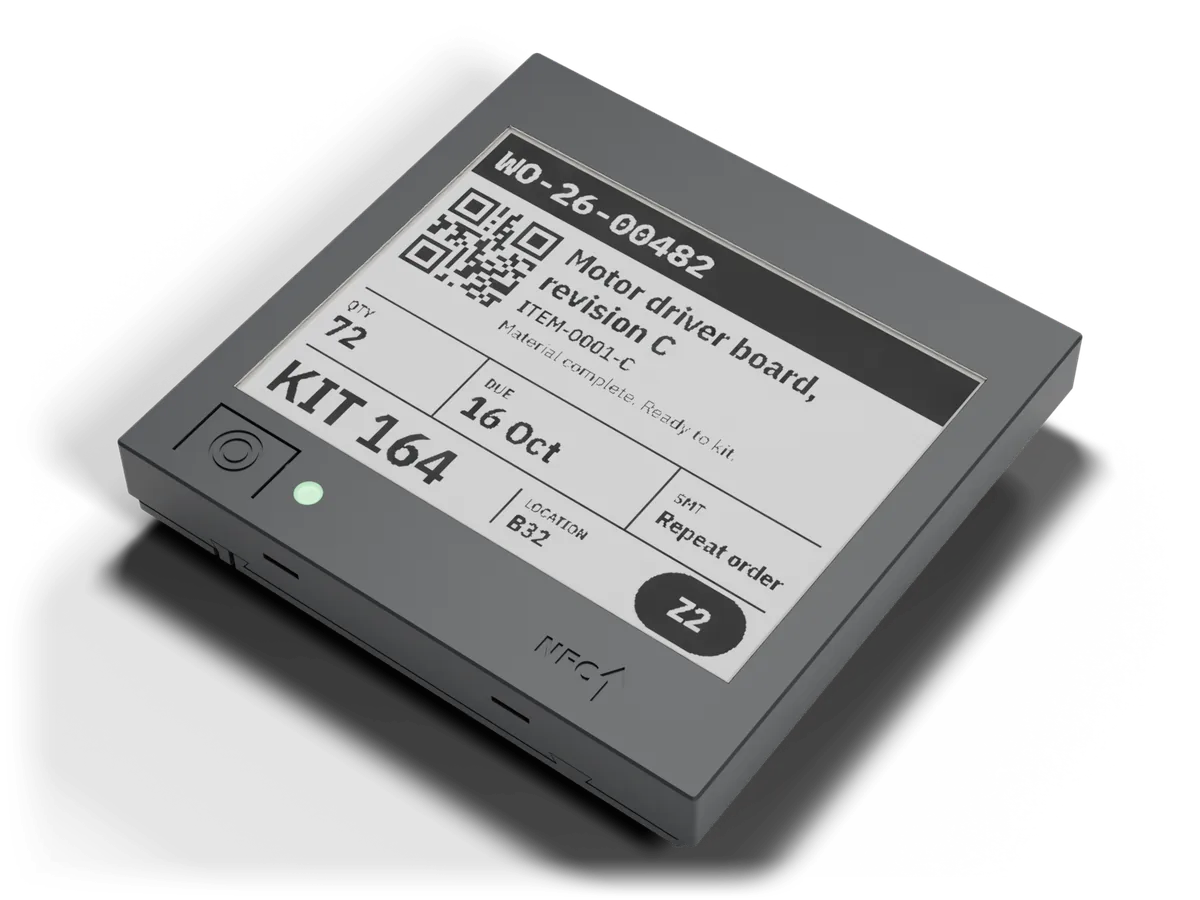
The Tile replaces the A5 paper label on a kitting box. It slides onto a mounting plate with the same T-slot as the Strip, and the plate comes in three versions: a hook that clips over the box rim, an adapter that sits in the card pocket of a standard small-load container (210 × 74 mm insert), or a plain plate with VHB pads. A screwdriver releases the latch for a battery change; the plate stays on the box.
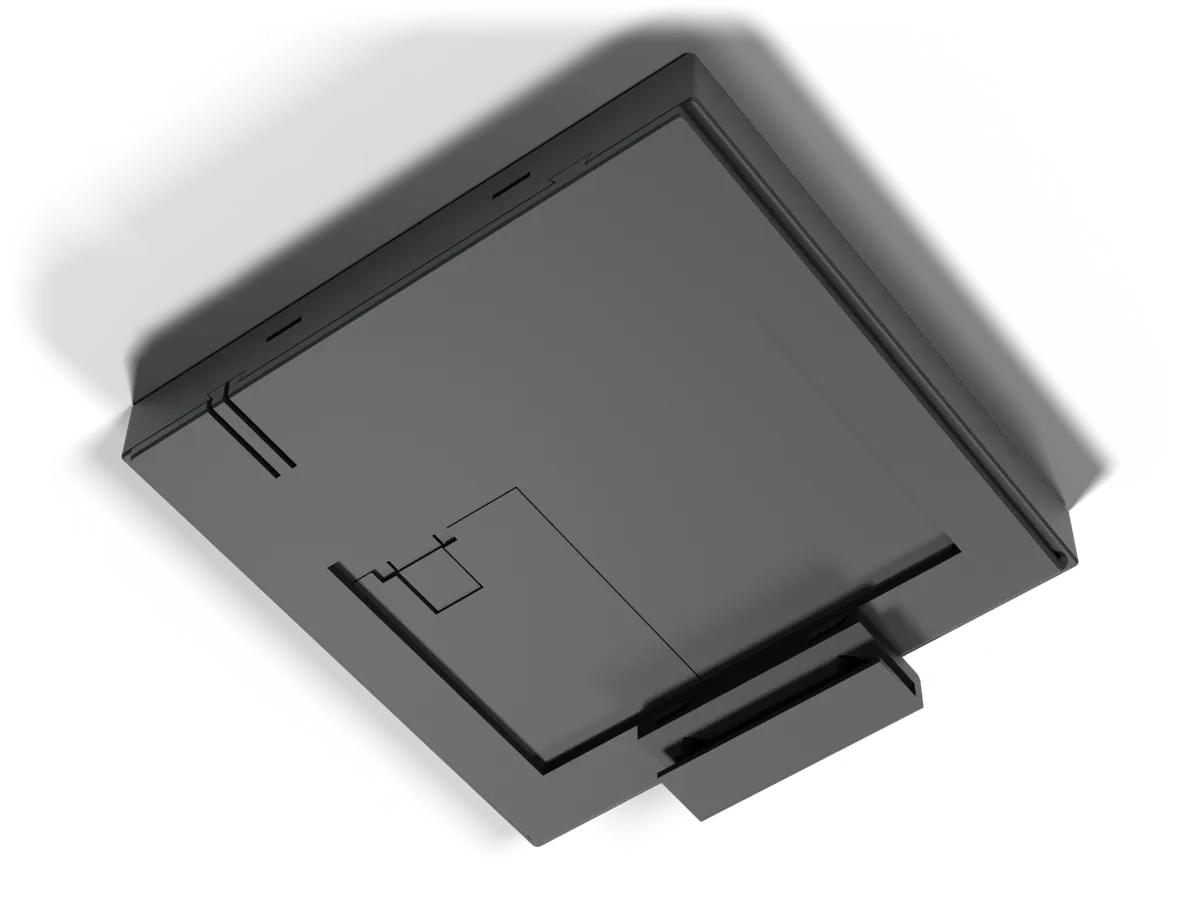
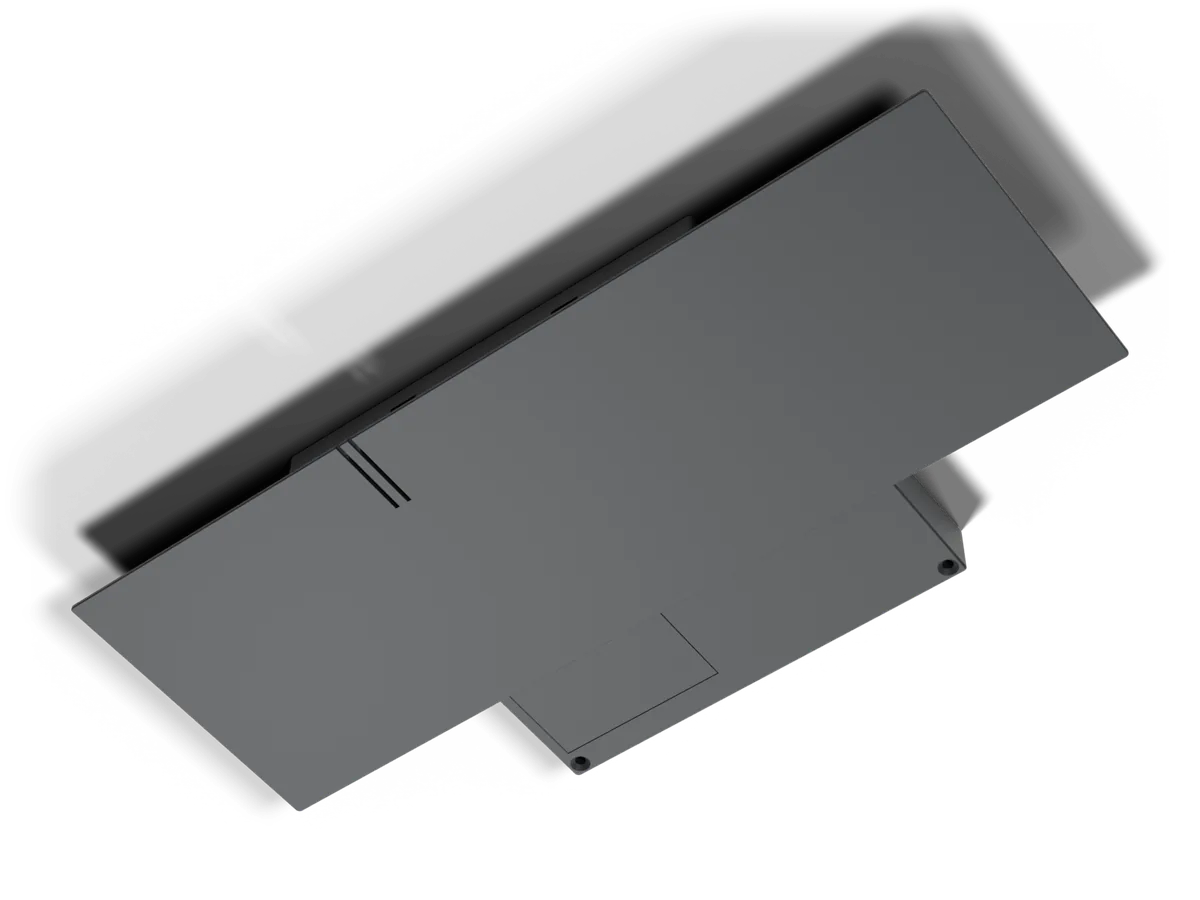
The Tile from behind: with the rim hook (left) and with the card-pocket adapter (right).
Why Bluetooth
Labels use the Electronic Shelf Label profile of Bluetooth 5.4. The access point sends a short broadcast about once a second and every label listens briefly, so the LED reacts quickly while the battery still lasts years. It is an open standard with encryption built in, supported by several chip makers.
Battery life
The target is five years or more with about four content updates and ten blink requests per day. The LED and display refreshes are the main consumers; the radio itself needs a few microamps on average.
Access points
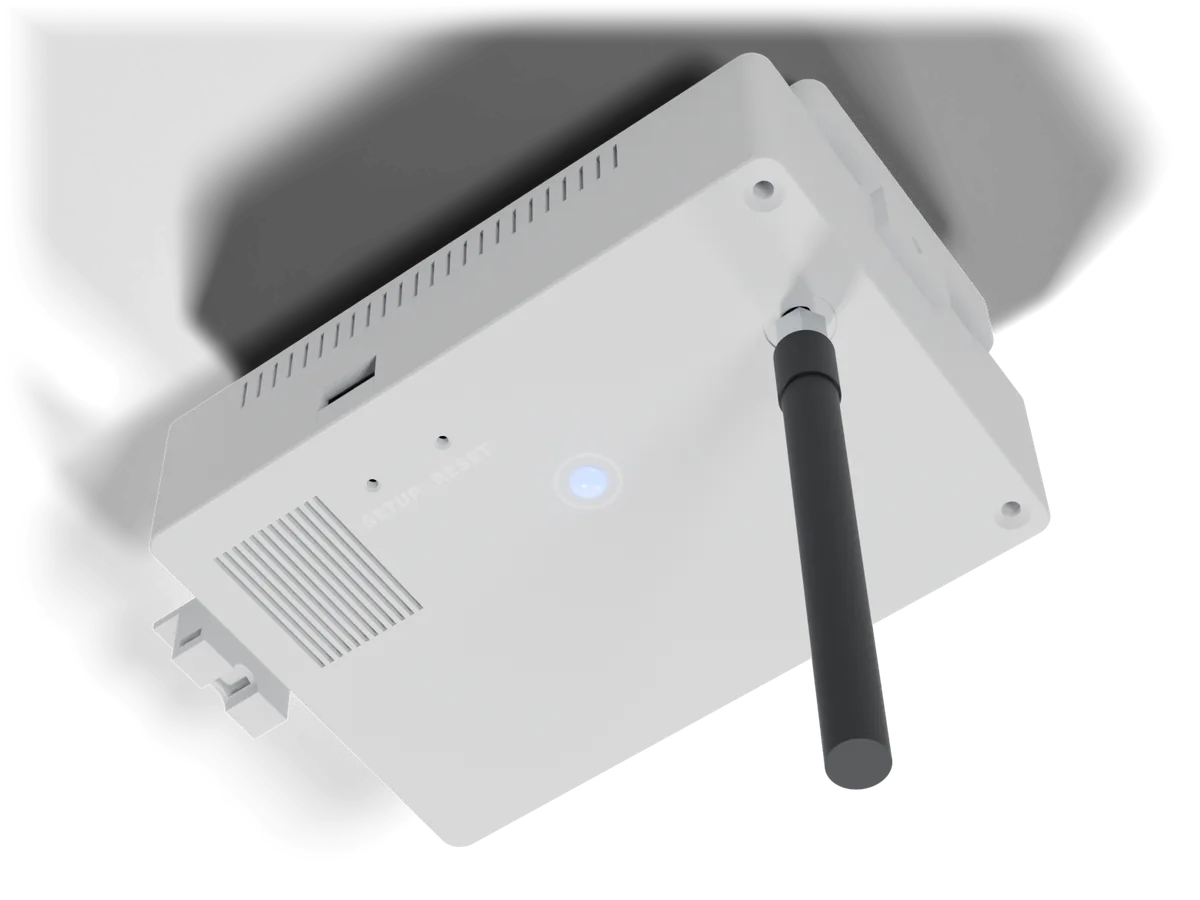
- A light grey box of about 130 × 90 × 35 mm, about 180 g with the antenna.
- Powered over Ethernet (802.3af): one cable brings power and data. No mains socket needed.
- One Bluetooth radio for the labels, with a dipole antenna that points down toward the floor, and a network processor with wired Ethernet.
- On the underside: a status LED behind a light pipe, a recessed button for identify and reset, and the QR code with the access point's id. A USB-C service port sits under a cover on the side.
- Connects to the bridge over MQTT in your local network.
- Three or four access points cover about 1,500 m² of factory floor with racks, with overlap so a label can move to a neighbouring access point.
The access point slides onto a mounting plate. The plate takes two M8 channel nuts for strut channel (41 mm), two screws through its keyholes for a ceiling or wall, or cable ties for trays and pipes. Hang it so the antenna sits below any steel nearby, 3 to 5 m above the floor.
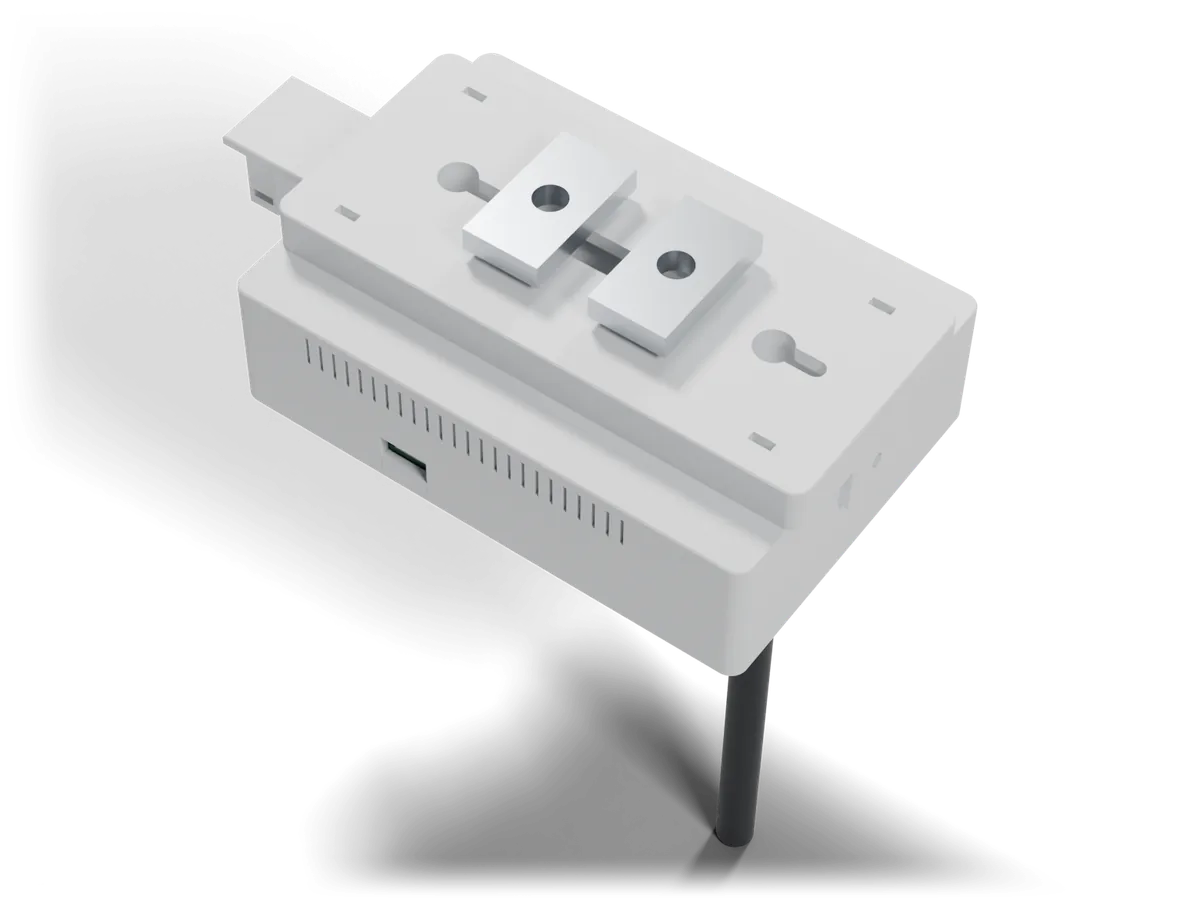
The access point from above, on its mounting plate with two channel nuts.
How the hardware is made
- Enclosures from code. Every housing and mounting part is a build123d model in Python, with one set of parameters per product. Checks run in CI on every change: dimensions, wall thickness, printability, fit on the print bed, collisions between parts, and keep-out zones around the antennas. The model exports STEP files and print-ready 3MF files, and the first parts will be 3D-printed.
- Electronics in KiCad 10. Schematics and circuit boards are KiCad files, with the electrical and design-rule checks run automatically.
- Renders from the same model. The pictures on this page are ray-traced in Blender from the meshes the CAD model exports, with label images made by the same renderer the bridge uses for real labels. They show the design as it stands, not an artist's impression.
Free tools all the way through mean anyone can open the design files, check them and build on them.
Open hardware
The hardware will be published under CERN-OHL-W-2.0 and the firmware and software under Apache-2.0 once the first version is stable. Components from third parties keep their own licences.